Switch choice is the difference between a keyboard you love and one you quietly regret.
And honestly? Most people pick based on hype (or “sounds cool on TikTok”) instead of what actually matters: feel, noise, fatigue, and your environment.
Here’s a practical, experience-based guide to picking linear vs tactile vs clicky—without getting lost in nerd specs.
The 10-second takeaway
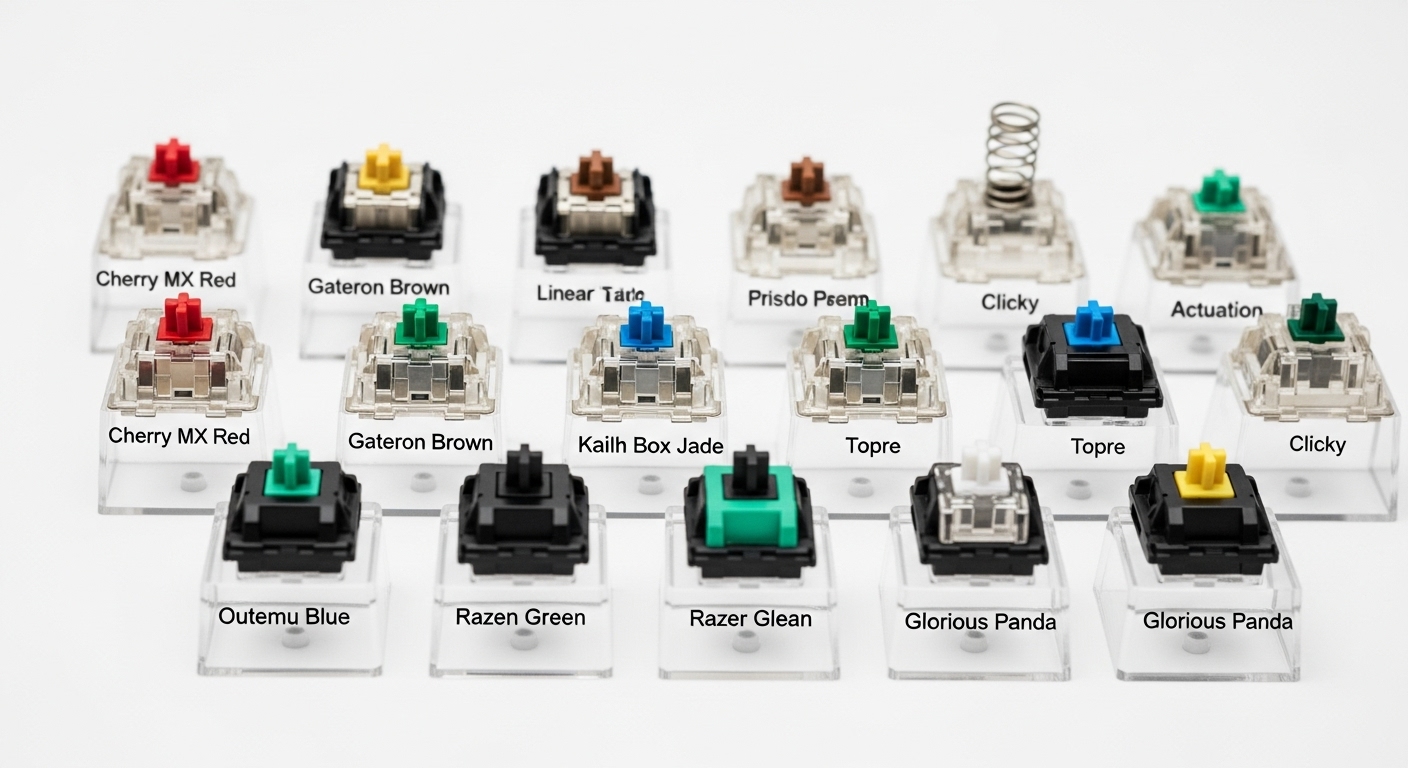
- Linear: smooth, no bump — best for gaming and people who want a soft, clean press
- Tactile: noticeable bump — best for typing accuracy without being super loud
- Clicky: bump + click sound — best if you love feedback and don’t share your space
✅ Best “safe” choice for most people: Tactile (or a quiet tactile)
✅ Best for gaming: Linear
❌ Worst for shared spaces: Clicky
1) Linear switches (smooth all the way down)
What they feel like
No bump, no click—just a consistent press. Think “butter smooth” when done right.
Why people love them
- Fast and predictable for gaming
- Easy to press repeatedly (great for rapid inputs)
- Can feel very satisfying when the keyboard is well-built
The honest downside
- Some people make more typos at first because there’s no “bump” to signal actuation
- If you bottom out hard, they can still be noisy (noise isn’t only switch type—it’s also how you type)
Best for: gaming, fast typists, people who want a smooth feel
Not ideal for: shared spaces if you type aggressively (unless you go quiet/silent)
2) Tactile switches (the “bump” you can feel)
What they feel like
There’s a small bump during the press that tells your finger: “yep, key registered.”
Why people love them
- Helps accuracy and reduces accidental presses
- Feels satisfying for typing without needing loud clicks
- Great for work, school, coding, writing
The honest downside
- Some tactiles can feel “scratchy” or tiring if the bump is too sharp
- For gaming, some people feel the bump slows them down (personal preference)
✅ Best for: most people, work, writing, coding, mixed use
Not ideal for: people who want ultra-smooth presses or hate any resistance
3) Clicky switches (tactile bump + audible click)
What they feel like
A bump plus a sharp click sound that happens on every press.
Why people love them
- Very clear feedback (you feel AND hear the press)
- Fun and satisfying if you’re typing solo
- Great if you enjoy a “typewriter” vibe
The honest downside (big one)
They’re loud. Like very loud.
In an office, shared room, or late-night home, clicky switches are the fastest way to become “that person.”
❌ Best for: private spaces, people who want maximum feedback
❌ Avoid for: open offices, roommates, meetings, streaming, late-night typing
What actually matters (more than switch labels)
A) Noise level (your environment decides)
Noise comes from 3 places:
- Switch type (clicky is loud, linear/tactile can be moderate/quiet)
- Bottom-out (how hard you slam the keys)
- Keyboard build (hollow case “ping” vs dampened “thock”)
If noise matters: prioritize a quieter switch style + softer typing + a less “hollow” board.
B) Feel and fatigue (how your hands feel after 6 hours)
If you type all day:
- Too light = more accidental presses
- Too heavy = finger fatigue
- Too sharp a tactile bump = can feel tiring
Most people do best with: a medium-weight tactile or a smooth linear with controlled typing.
C) Your typing style (this is the big one)
Be honest—are you a “light touch” or a “bottom-out” typist?
If you bottom out hard
You’ll create noise no matter what.
A “quiet” switch won’t fix hammer typing entirely. You’ll want:
- a switch that feels comfortable to press
- a keyboard that doesn’t amplify sound
- a desk mat to kill echo
If you type lightly
You’ll get more benefit from switch feel.
Tactiles can help you avoid bottoming out because the bump gives feedback.
D) Gaming vs typing (what you do most)
Mostly gaming
Go linear if you want smooth speed and fast repeated inputs.
Mostly typing/work
Go tactile for accuracy and “I know it registered” confidence.
Mixed use (work + gaming)
Tactile is the safest choice, or a lighter linear if you don’t like bumps.
E) Stabilizers matter more than people think
Big keys (Space, Enter, Shift, Backspace) use stabilizers.
Bad stabilizers = rattle, wobble, and extra noise—no matter what switch you buy.
If your goal is “premium feel,” stabilizers can matter as much as switch type.
Which switch should YOU pick? (simple decision guide)
Pick LINEAR if:
- you game a lot
- you want smooth, consistent presses
- you don’t want a tactile bump
Pick TACTILE if:
- you type a lot for work/school
- you want better accuracy
- you want feedback without loud clicks
Pick CLICKY if:
- you love loud feedback
- you type alone
- you don’t care about noise complaints
✅ Most people’s best choice: Tactile
✅ Best for gaming: Linear
❌ Avoid in shared spaces: Clicky
Practical “office-friendly” recommendations (without brand names)
If you want something safe for an office or shared space:
- Choose tactile or linear
- Avoid clicky
- Use a desk mat
- Type lighter (seriously, it’s the biggest noise reducer)
If you want quiet but still mechanical:
- Look for “silent” versions of linear or tactile switches
FAQ (SEO-friendly)
Are linear switches too sensitive?
They can be if they’re very light. If you make typos easily, tactile usually feels safer.
Are tactile switches loud?
Not necessarily. They’re usually quieter than clicky, and “silent tactile” options exist.
Do clicky switches help typing speed?
Some people feel faster because of feedback, but many don’t type faster—just louder.
What matters more: switch or keyboard?
Both, but a hollow keyboard with bad stabilizers can make any switch sound worse.
The optimal choice (most people)
If you want one switch type that works for work + gaming, feels good, and won’t annoy others:
✅ Optimal pick: Tactile (or quiet tactile)